· Jason Louro
How to make a video game with AI (without getting a generic one)
What AI can and can't do for a first game, and a step-by-step way to build a 2D game with it while staying in charge of how it looks and plays.
You can make a real, playable video game with AI today, without knowing how to code or draw. The catch is that "type an idea, get a whole game" doesn't work. What works is building the game one piece at a time, with AI doing the parts you can't, and you deciding what stays.
I'm building Chunkyard, a desktop app for making 2D top-down pixel art games this way. This post covers the general approach, whatever tool you end up using.
What AI is actually good at in game making
AI helps most with the work that stops people from starting:
- Art. Sprites for creatures, items, tiles and buildings, if the tool keeps them consistent. This one has a big catch, which is that most AI models produce really bad pixel art, so you need good tooling to get reasonably good output.
- Content. Names, item stats, crafting recipes, dialogue lines, quest ideas.
- Wiring things up. Turning "a dog that follows the player" into behavior the game engine understands.
- Music. Simple looping background tracks.
It's weaker at the things that make a game yours: deciding what the game is about, what's fun, and when something feels wrong. That part is still your job, and it should be.
Why one-prompt games disappoint
Tools that build a game from a single prompt rarely produce good games.
- It looks like AI art. Blurry pixels, mismatched styles, details that don't line up.
- You can't steer it. Changing one thing often means regenerating everything.
- You don't really have a game. Often it's a page on someone else's site, with no project files you own.
If you want a game you'll keep working on, look for a tool that avoids all three.
Step by step: making a game with AI
1. Pick a genre with a clear loop
Start with a game you can describe in one sentence. "Farm by day, hide from monsters at night" is better than "an epic adventure." Top-down 2D games are a good first choice because movement is simple and everything is easy to read on screen.
2. Set the art style before anything else
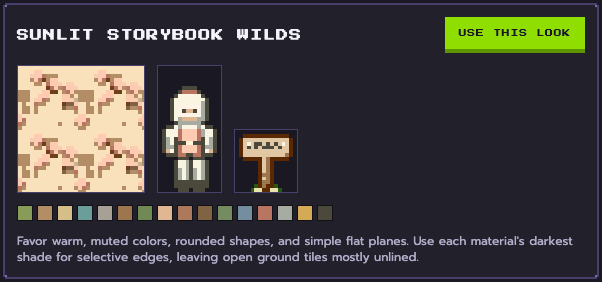
Decide on a palette and a look first: outline or no outline, how light falls, how much detail. In Chunkyard this is a style kit, a set of named color ramps plus rules for outlines, light, shading and detail. Every sprite follows it, which is what stops the game looking like a collage.
3. Add one piece, then test it
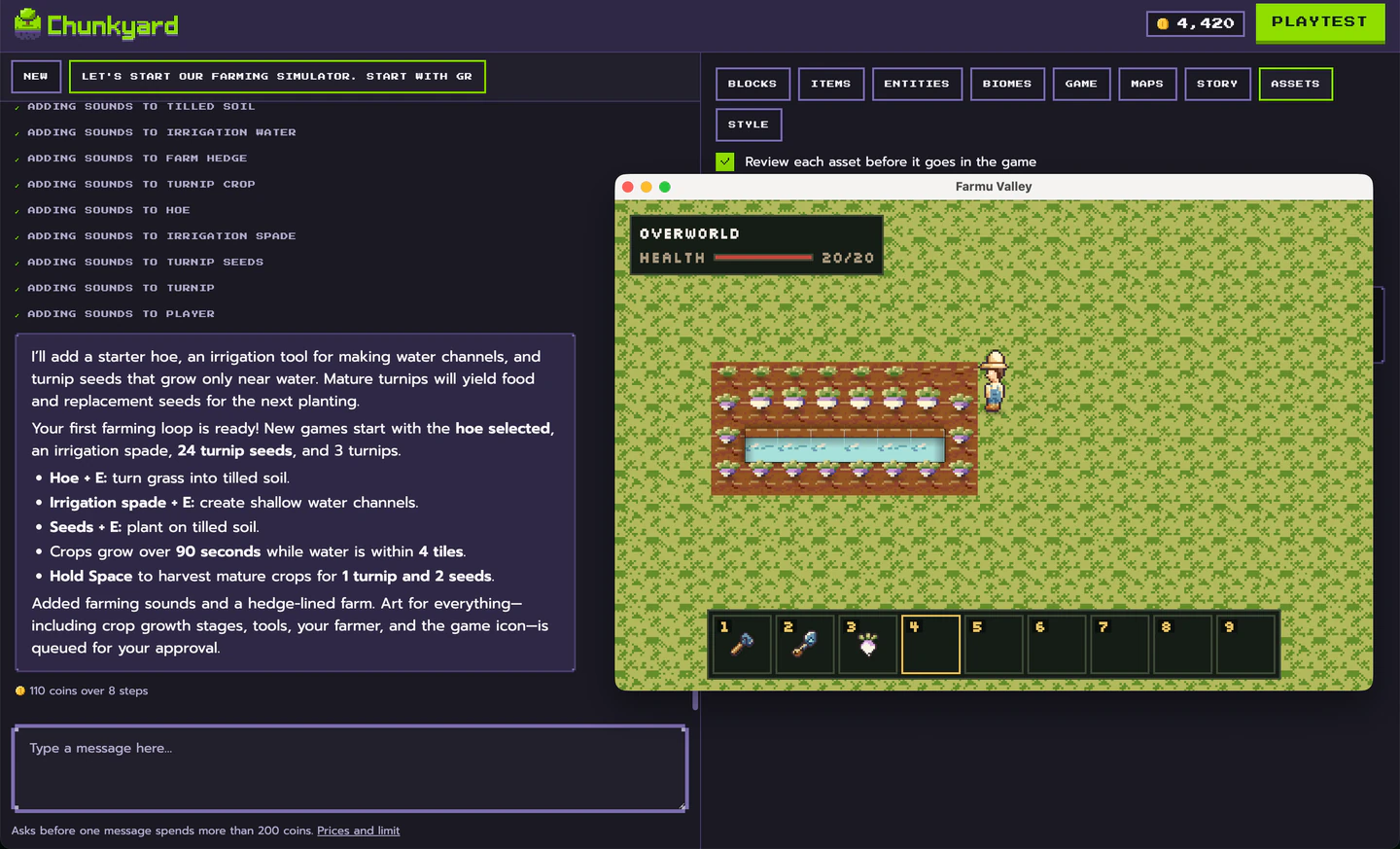
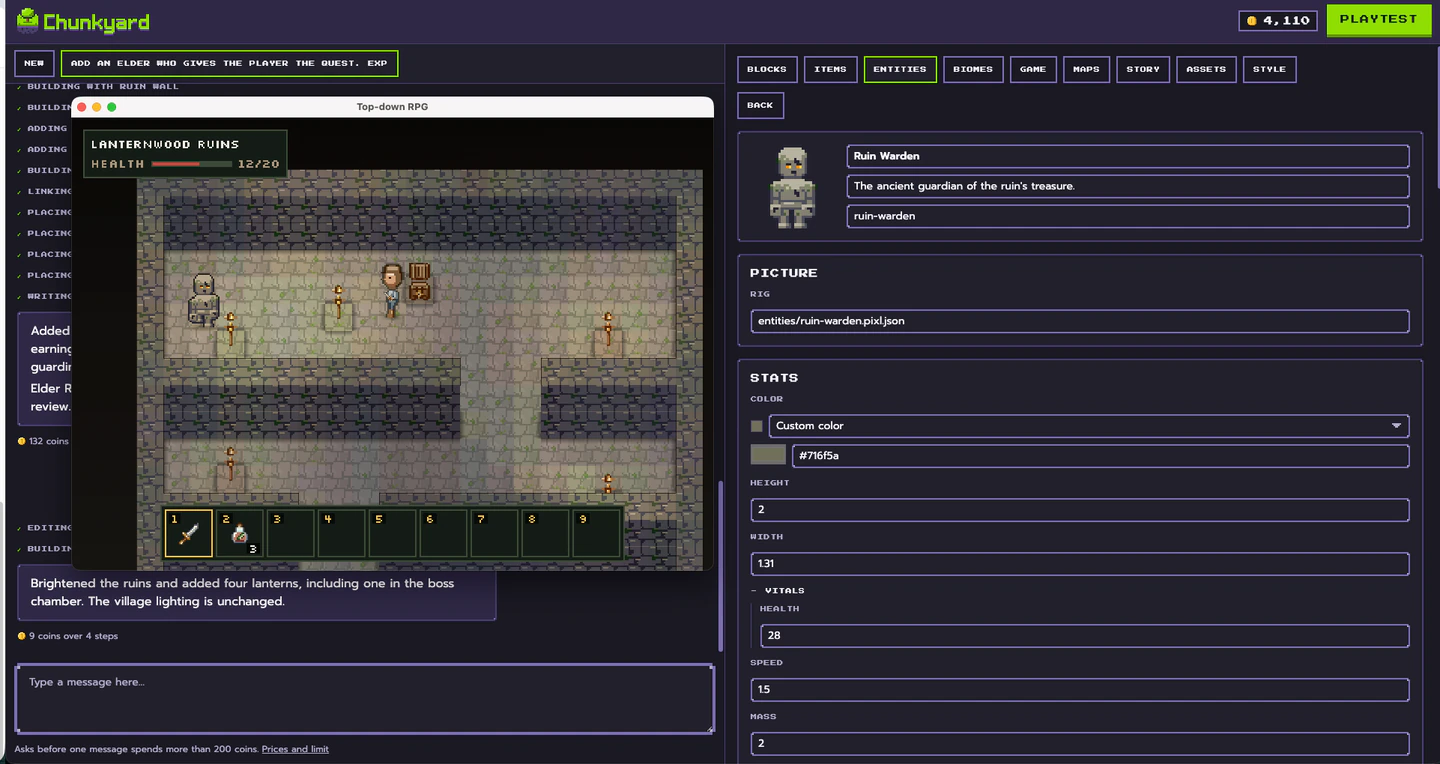
Ask for something small. A chicken. A wooden fence. A berry bush. Look at the art, approve it or ask for another pass, then play.
This loop is the whole method: ask, check, playtest, adjust. Small steps mean small mistakes.
4. Tune with numbers, not prompts
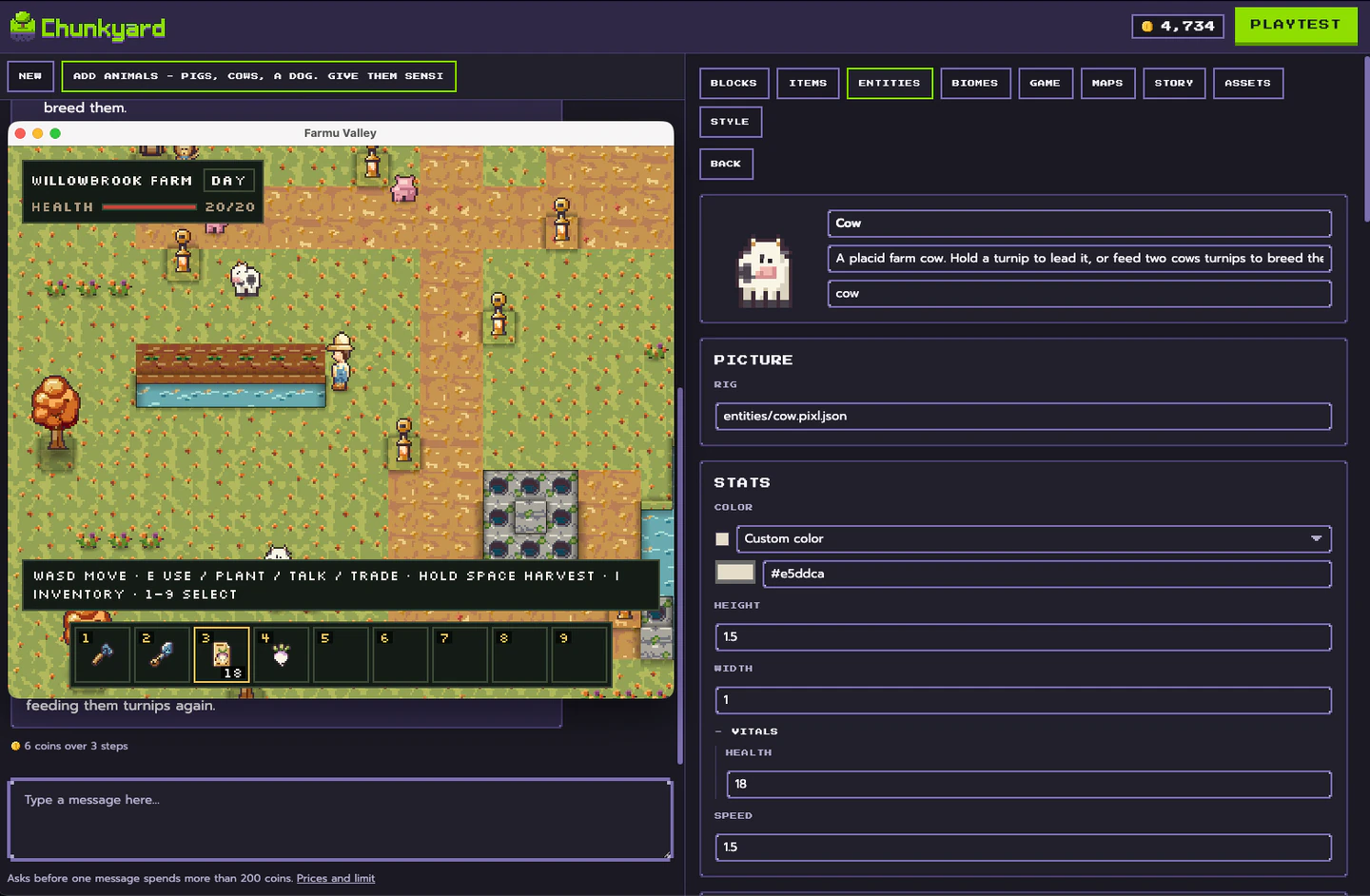
Once a creature exists, you don't need AI to make it faster. Change its speed, health or drop rate directly. In Chunkyard these are fields in a form, so a tweak takes seconds and costs nothing.
5. Add rules and goals
Now give the player a reason to play: a crop that sells for coins, a locked door that needs a key, a boss at the end of a dungeon. Ask for each rule in plain English, then playtest it.
6. Export and share
When it plays the way you pictured, export it so friends can play it outside the tool. Check up front that your tool lets you export and that the game is yours to share or sell.
What to look for in an AI game maker
| Question | Why it matters |
|---|---|
| Can I approve each piece before it goes in? | You stay in charge of the look and feel. |
| Does the art follow one style? | Consistency is what makes a game feel hand-made. |
| Can I edit anything later without AI? | Small changes shouldn't cost a regeneration. |
| Can I export the game and keep the files? | Your game shouldn't live only inside the tool. |
| Does it say plainly how it uses AI? | You'll need to disclose AI content if you publish on Steam. |
How Chunkyard does it
Chunkyard is built around that list. You ask for a creature, an item or a rule in plain English, approve the art, and playtest in a window as you go. The pixel art engine draws each sprite on a real 16-pixels-per-tile grid, checks it, and revises it before you ever see it. Your game lives as plain files in its own folder, and you can export it for Windows, macOS, Linux or the web. Exported games run on their own, with no Chunkyard and no account.
If you want the details on the art side, read how Chunkyard's pixel art engine works. If you're wondering whether you can sell what you make, see can you sell a game made with AI on Steam?.
Chunkyard is coming to Steam for Windows, macOS and Linux. If there's a game you've wanted to make for years, it's a good time to start.