· Jason Louro
How to make a farming game like Stardew Valley without coding
A step-by-step plan for building your own top-down farming sim, from the first crop to a full year of seasons, with no programming or drawing.
A farming game is one of the best first games to make, because its core loop is simple: plant, water, wait, harvest, sell. You can build that loop without code in an afternoon, then spend as long as you like adding crops, animals, seasons and a town.
Here's how I'd approach it, using Chunkyard as the example.
Start with the smallest farm that's fun
Don't start with forty crops and a village. Start with this:
- one field of dirt
- one crop that grows in a few days
- a place to sell it
- coins
If planting and selling one crop feels good, you have a farming game. Everything after that is variety.
Step 1: Set the look
Pick your art style first: a warm, soft palette for a cozy farm, or something muddier and darker if your farm has a spooky side. In Chunkyard this is your game's style kit, and every sprite you add follows it.
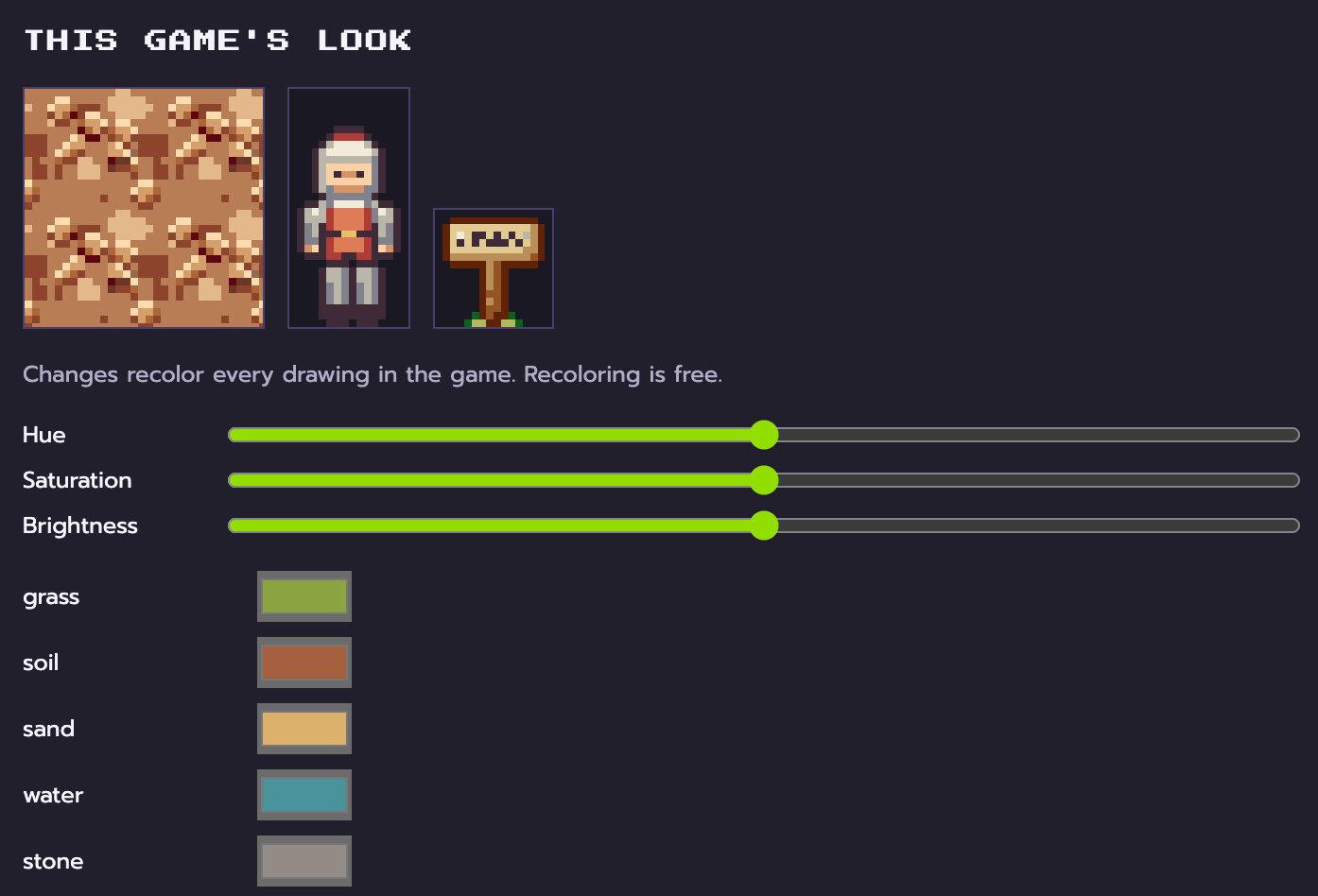
Then add the ground: grass, tilled soil, a path and some water. Check that they look right side by side.
Step 2: Add your first crop
Ask for something like "a turnip that takes three days to grow and sells for 20 coins." Look over the drawing for each growth stage and approve it. Then playtest: till the soil with a hoe, plant it, sleep through a few nights in a bed, and harvest it.
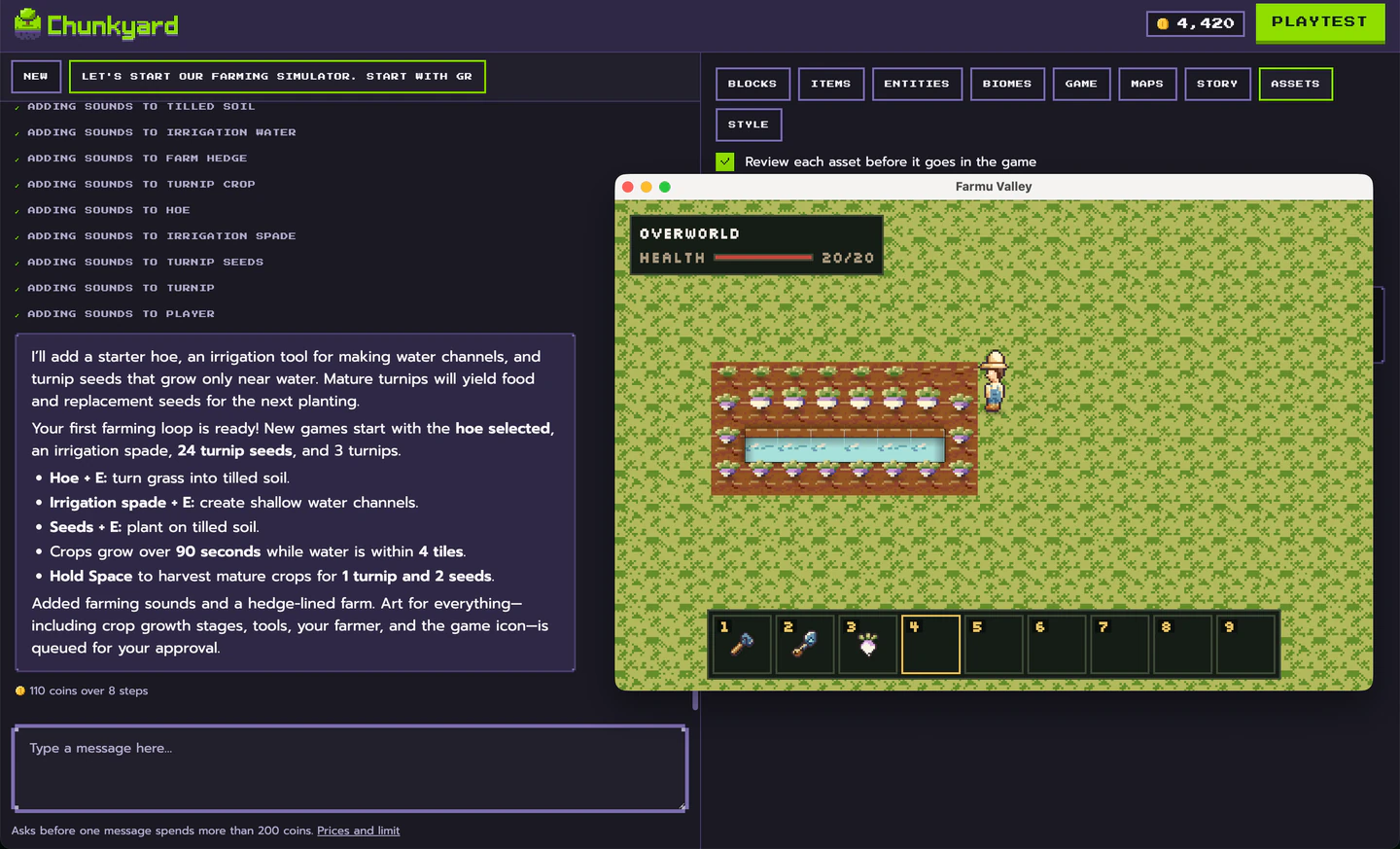
If it grows too slowly, shorten its grow time in its form. No need to ask again. Farmland near water grows faster, so where you put the pond matters.
Step 3: Add a reason to keep farming
Coins need something to buy. Good first purchases:
- Better tools: an axe that clears trees faster
- New seeds: a crop that takes longer but sells for more
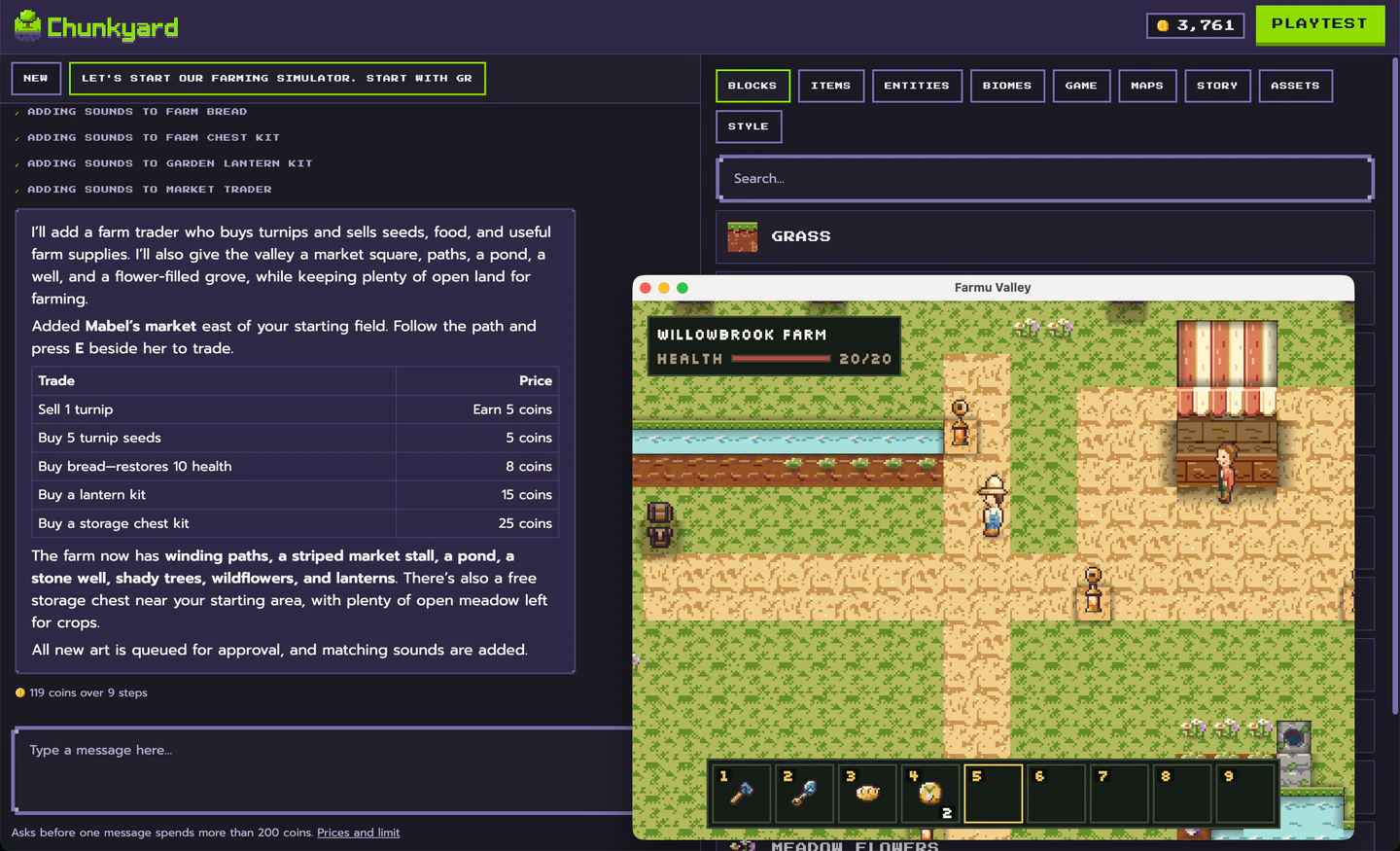
- Farm upgrades: fences, a chest for storage, a lamp for working after dark
Each is one request, one approval and one playtest.
Step 4: Add seasons
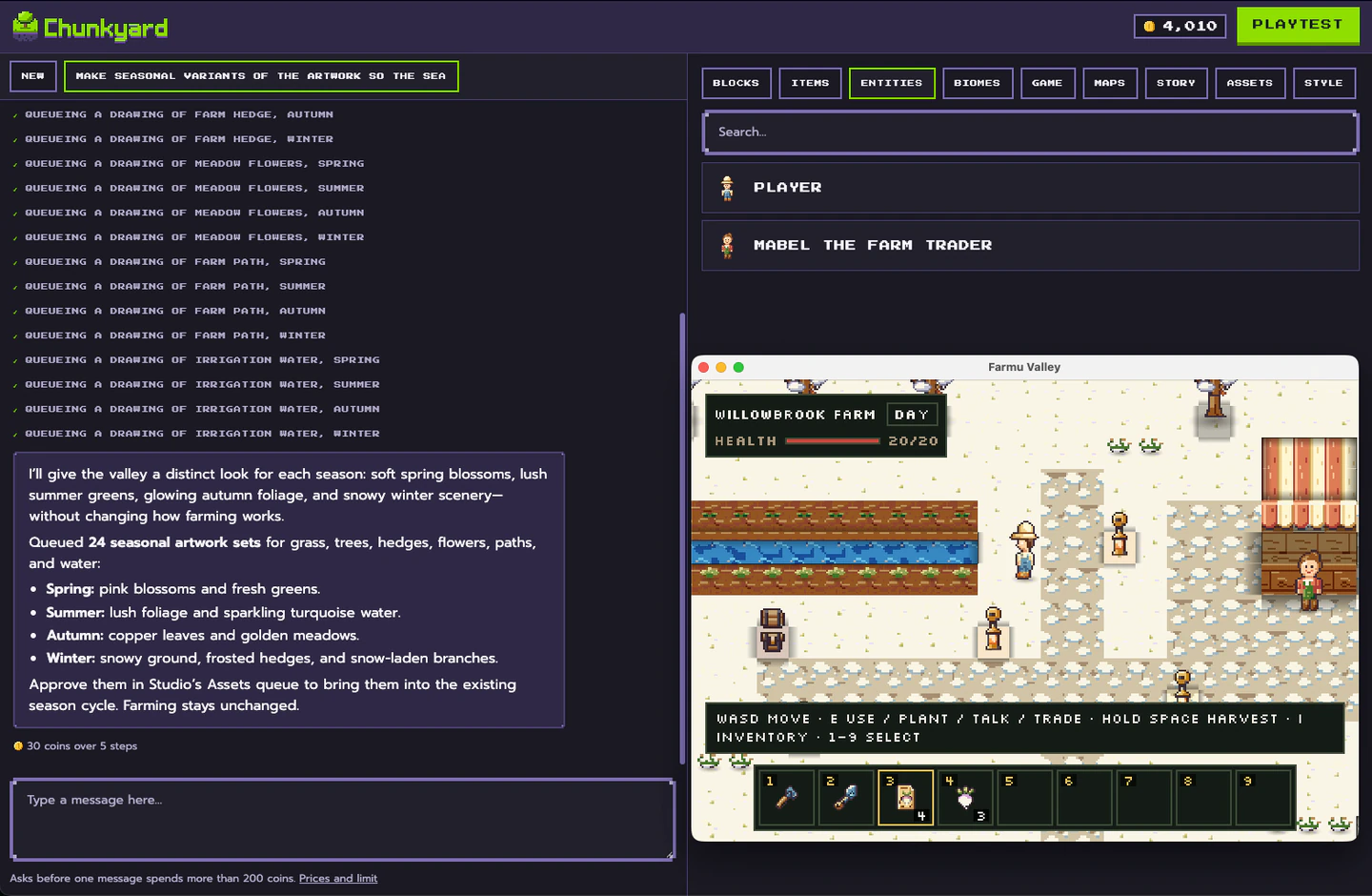
Seasons are what make farming games feel like a year passing. Chunkyard's engine already has a calendar of seasons and a day/night cycle, so the work is deciding what changes:
- which crops grow in which season, or grow slower out of season
- what the grass and trees look like in winter
- what the player does when nothing grows
Step 5: Add animals
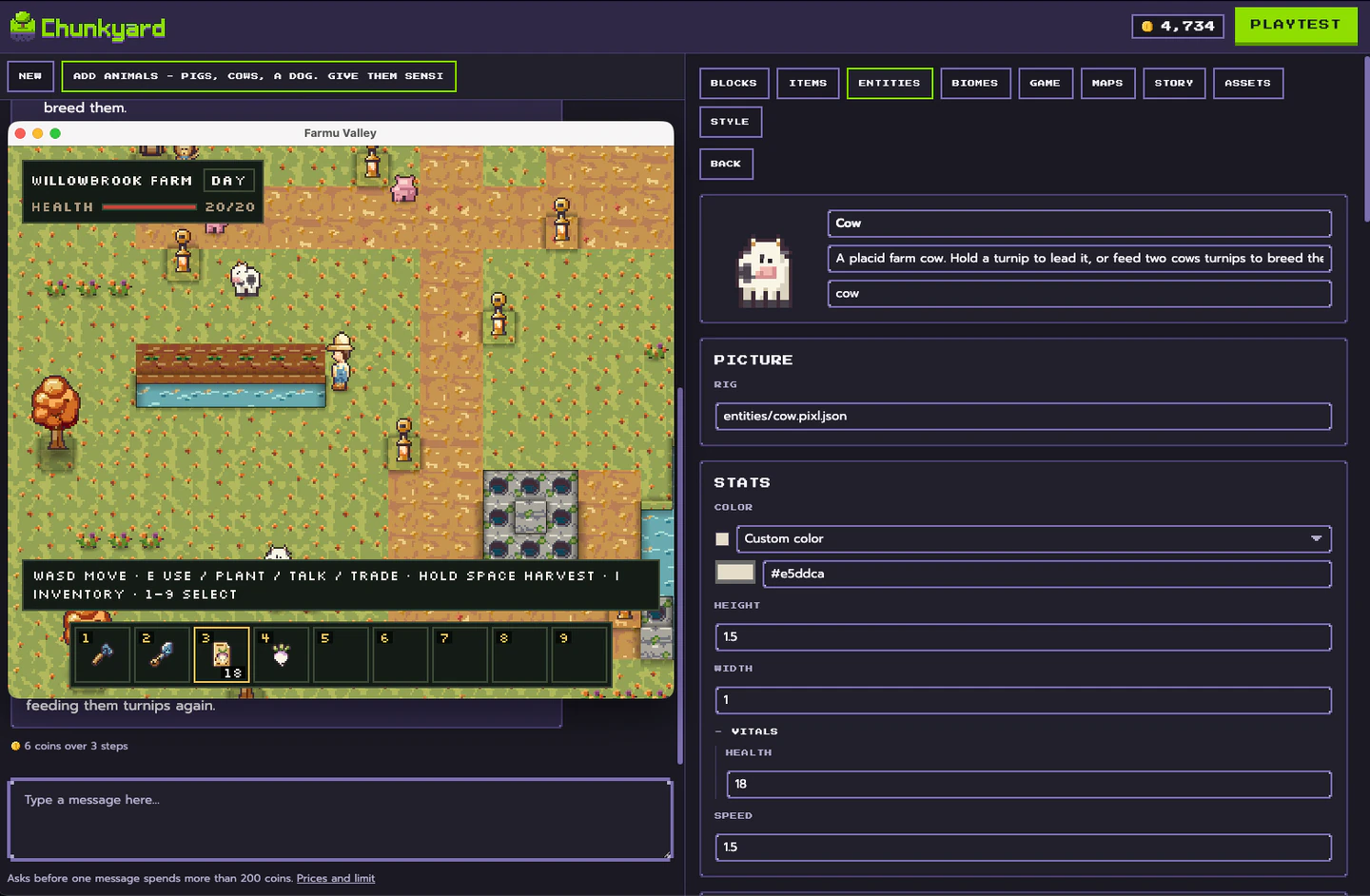
Chickens that lay eggs, a cow that gives milk, a dog that follows you while you hold a bone. Feed two animals the food they like and they breed. Animals give the player daily chores and make the farm feel alive. Start with one.
Step 6: Add a town (optional)
Once the farm works, add people. A shopkeeper who buys crops, a neighbor with a quest, a sign by the road. Chunkyard supports branching dialogue, shops and milestones, which are how the game remembers things like whether you helped the neighbor. Coins are just an item, so a shop trades turnips for coins and coins for seeds.
Step 7: Give the year a goal
Pay off the farm by the end of spring. Grow one of every crop. Win the harvest festival. A goal turns a pleasant loop into a game people finish.
Ideas to make your farm game different
- Farm on a floating island where water is scarce
- Grow crops that only ripen at night
- Run a farm for monsters instead of people
- A farm where every season lasts one day
What you won't need
You won't need to write code, draw sprites, or compose music. You will need to playtest a lot, and to be honest with yourself about what's fun.
New to all this? Start with how to make a 2D game without coding. Want to add danger to your farm? See how to make a survival game.